RingCentral Admin Mobile App
In 2023 Q1, RingCentral initiate a major redesign for their enterprise telecom management app. As the design lead for this project, I deliver a completely new mobile app experience with interactive visualization, smart automation, and OS-level integration.

THE PROBLEM
In enterprise cloud communications, a Call Flow represents the exact journey an external customer takes when they call a business. However, for years, managing this journey on RingCentral’s Admin Mobile App was a black box.
Because of a legacy, text-heavy desktop interface translated poorly to mobile, IT administrators and small business owners suffered from three major roadblocks:
The "Invisible" Caller Journey: In the legacy app, call-forwarding options were scattered across disconnected, text-based accordion menus. Admins had no visual layout of the call routing path.
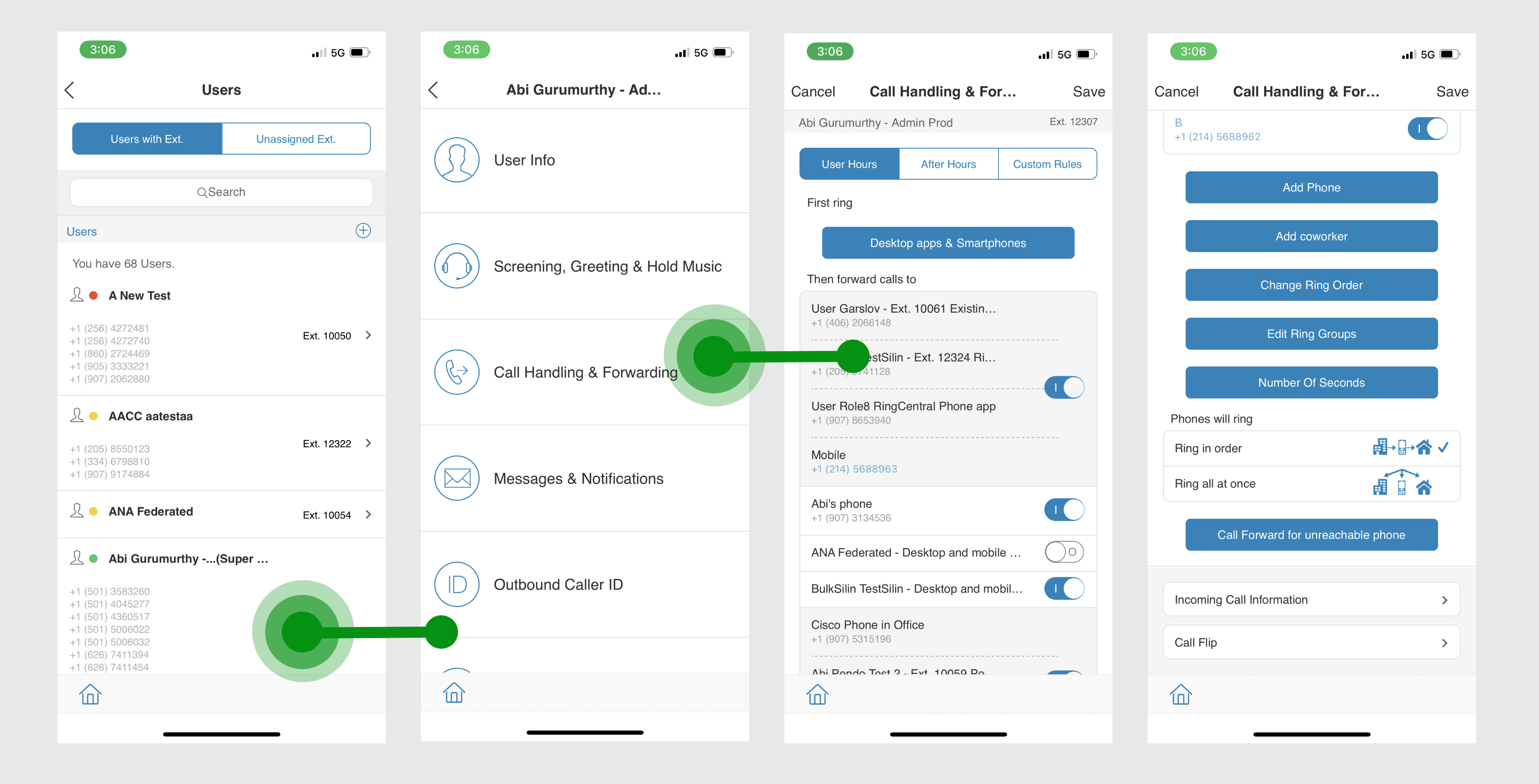
Lack of Scale: Setting up routing rules was an individual, tedious manual task. If a clinic owner had 15 employees, they had to repeat the exact same "Working Hours vs. After-Hours" setup 15 times.
No Real-Time Control: Once configured, the active call routing status became invisible to both the admin and the end-users.
THE SOLUTION
We completely redesigned the RingCentral Admin Mobile App around the philosophy of instant visualization and seamless scale. Instead of filling out forms, admins now design, distribute, and control live call experiences through three flagship pillars
What You See Is What You Hear
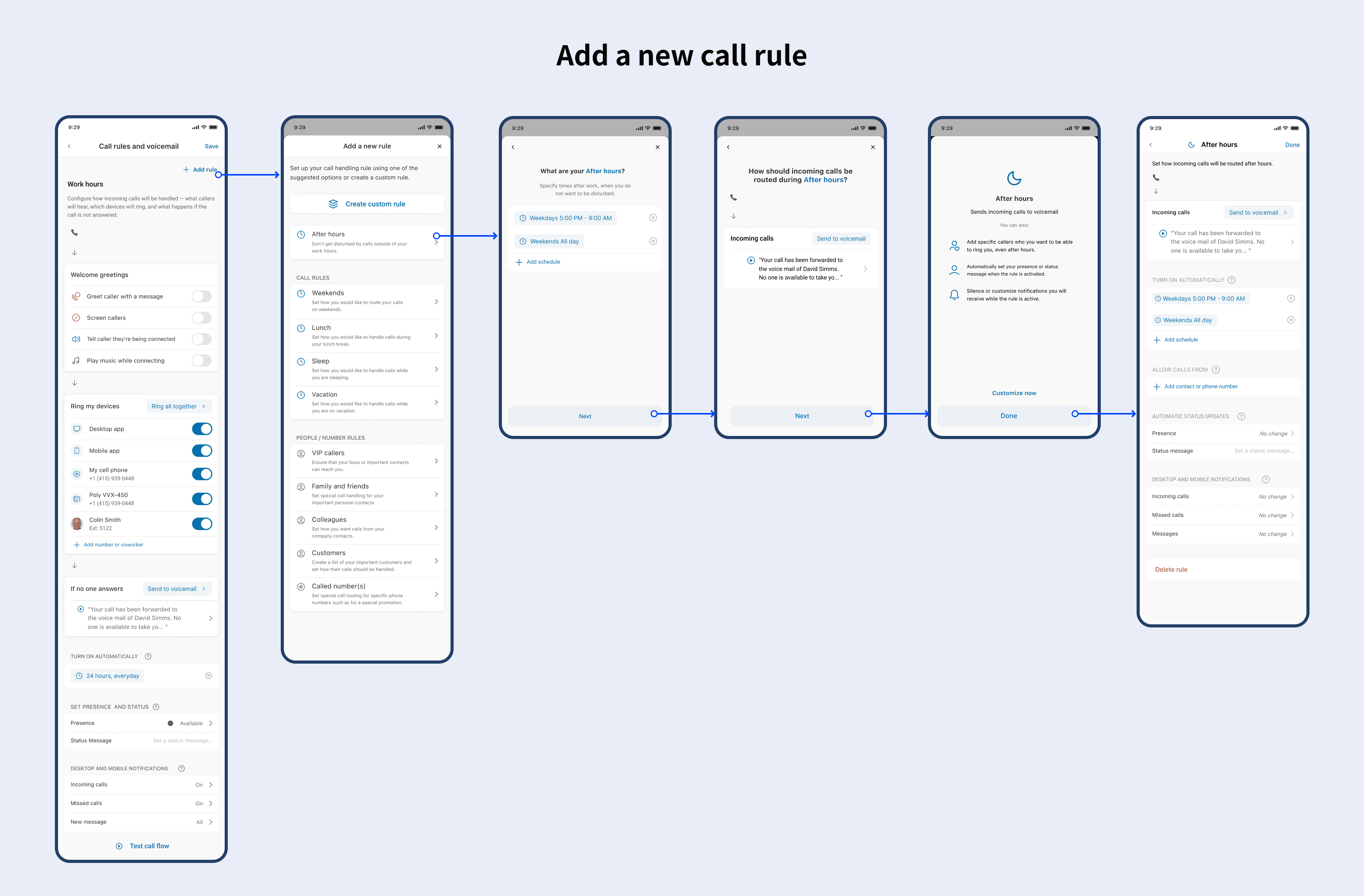
We replaced the nested menus with an interactive, linear Visual Call Flow.
Visual Configuration: Admins can visually see the phone call's path from "Greeting" ➔ "Ringing Devices" ➔ "Voicemail" in a clean, vertical canvas.
Instant Playback/Test Sandbox: Admins no longer have to guess what the caller hears. With one tap, they can trigger an instant simulator call to their own phone to hear and test the newly configured greeting, ring duration, and IVR routing in real-time before pushing it live.
Smart Call Rule Templates
To eliminate repetitive manual setups, we introduced Call Rule Templates.
An admin can craft a perfect call routing blueprint (e.g., "Standard Front Desk Flow" with specific business hours and holiday rules).
With a single swipe, they can bulk-apply this template to a custom group of users or departments, reducing a 20-minute repetitive process to a 5-second action.
Results
I planned user tasks and conducted the tests via usertesting.com. 7/8 participants like and understand the new design while only 4/8 participants like and understand the old design.
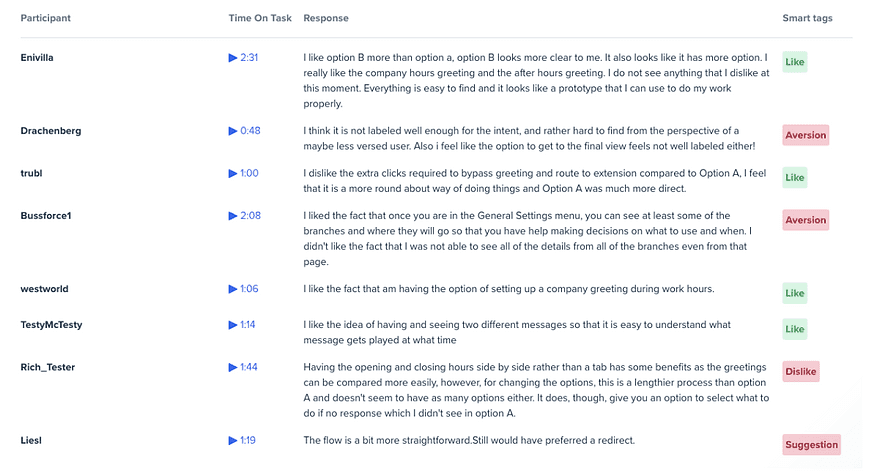
Before
4/8
users satisfied
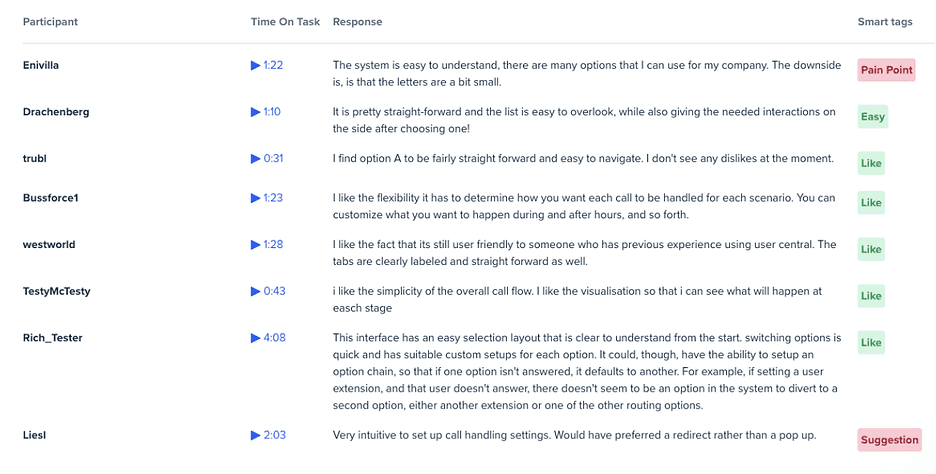
Now
7/8
users satisfied
Lack of Scale: Setting up routing rules was an individual, tedious manual task. If a clinic owner had 15 employees, they had to repeat the exact same "Working Hours vs. After-Hours" setup 15 times.
No Real-Time Control: Once configured, the active call routing status became invisible to both the admin and the end-users.
Problem solved

Set up the entire call forwarding process within a single interface.
Start with call forwarding during working hours only and gradually increase complexity.
Ensure a highly consistent user experience between the mobile and web platforms, eliminating the frustration of steep learning curves.